 Pulse
Architect
The only one who speaks to you. Examines the repository, breaks down the work, distributes tasks, compiles reports, writes the summary into memory.
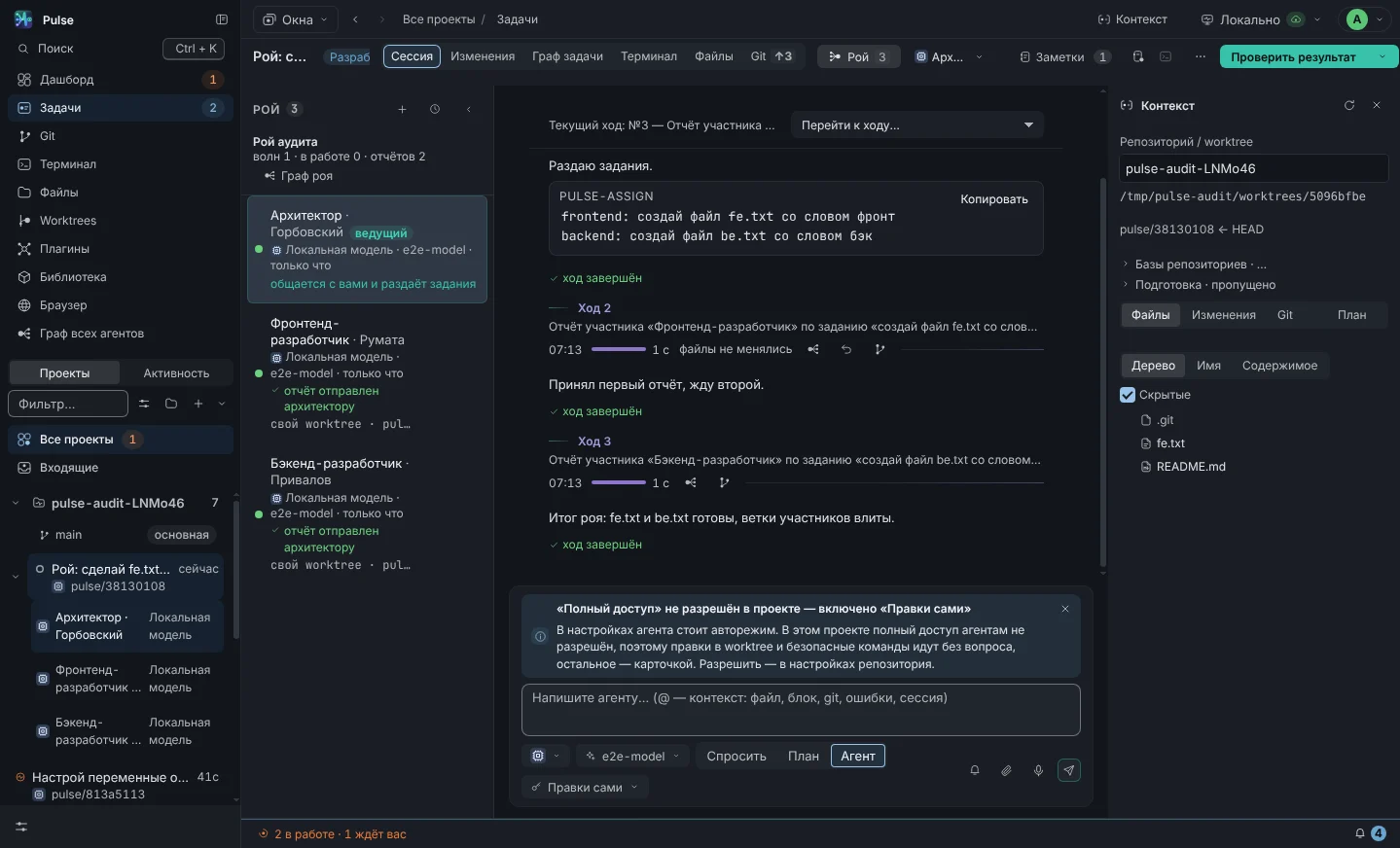
A swarm is a named set of roles that is launched on the repository with one button. The architect studies the code, distributes tasks, collects reports and summarizes. Developers each work in their own working copy, reviewers do not edit anything, inspectors evaluate the result. The result goes into the repository memory - the next task will start with this knowledge.
 1
2
3
4
Presenter distributes and brings together. Developers edit the code in their working copies. Reviewers and inspectors are read-only: policy prevents them from writing files and commands at the role level, regardless of mode and settings.
The only one who speaks to you. Examines the repository, breaks down the work, distributes tasks, compiles reports, writes the summary into memory.
Interface and client code. Your working copy on the branch <task>-frontend.
Server, API, data. Your own working copy, merging into the task branch after the report.
Writes and runs tests. Report - what is covered, what fell, what was not reproduced.
Assembly, CI, environment. Everything that is not application code, but without which it will not work.
Parses requirements and data, does not edit anything. His report is an updated statement.
Looks for risks, secrets, unsafe challenges. Only a report - it cannot be edited.
Looks at the task through the eyes of the user: what is unclear, what is superfluous, what is missing.
Evaluates the client code of other agents along six axes. Works on the strongest model.
The same for the server code: evaluation, “file:line” findings, correction to the author.
General assessment of change beyond division into front and back. Selected by file composition.
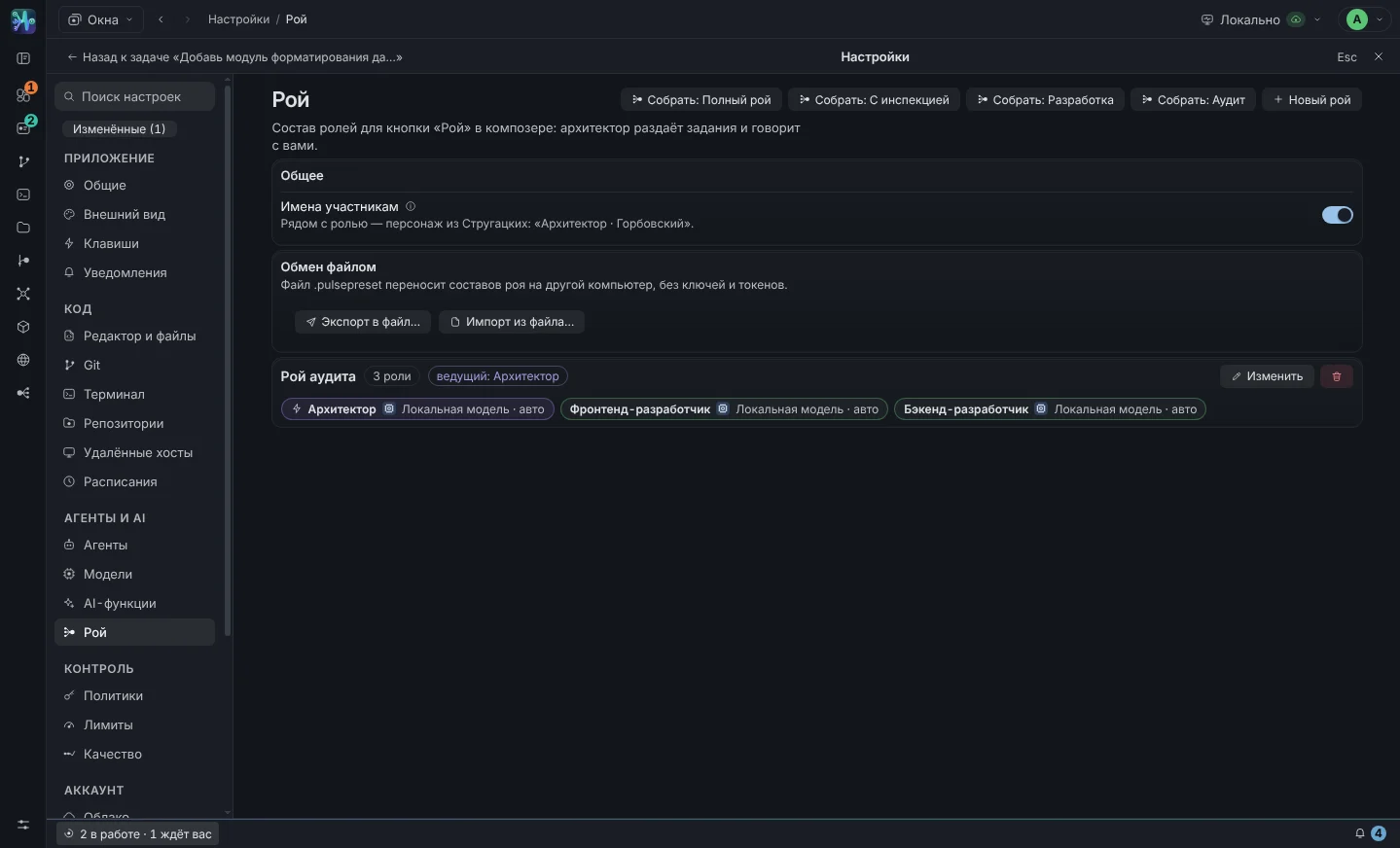
In “Settings → Swarm” buttons collect the composition with one click. The “new swarm” has its own: roles, for each agent and model, leader, instructions with version history. If a role has an agent selected that is currently unavailable, the card will warn.
All eight basic roles. For tasks that affect the interface, the server, and the infrastructure.
Development under supervision: two write, two evaluate. The inspectors' reports are returned to the architect and influence the next wave of revisions.
Minimum for a feature: staging, two hands, tests. Fast and cheap.
Nobody edits anything: only reports. To check other people's code, accept and analyze incidents.
Wave - one block of tasks and all reports on it. Swarm counts the waves; Usually two or three are enough.
Role, composition of the swarm, your task, task notes, excerpt from the repository memory, hints from connected MCP servers.
Block pulse-assign - one line per role. Pulse understands role ids, Russian signatures, @role and continued on the following lines.
Those who haven’t started yet get the first turn with a role, task and context. Before the task, the developer is given a task branch.
Report - text after the last call of the tool; he goes to the architect. The developer's work is committed and merged back into the issue branch.
When all tasks are completed. The result is added to the repository memory - the next tasks will start with this knowledge.
What is not committed on both sides is first committed with the message “swarm: …”. Merge conflict is rolled back (merge --abort), the architect receives a list of files and a request to decide who rules. In the task and in the task preview you can see “there is a merge conflict.”
Pulse repeats his task - up to two attempts, with the note “the previous attempt was interrupted.” The session restarts itself. After the second failure, the task is marked failed and the architect receives a message.
A job without a report for more than 20 minutes is interrupted and considered a failure. Then the same repeat logic works. The watchman checks tasks based on a timer, not an event—a freeze cannot go unnoticed.
The merge is rolled back, the job is flagged, the architect gets the list of files and decides who is in charge. The participant threads remain - nothing is lost.
The ✈ button on a participant in the “Swarm” column sends him a task directly from you. The report will still be returned to the architect - he is still the only one distributing it.
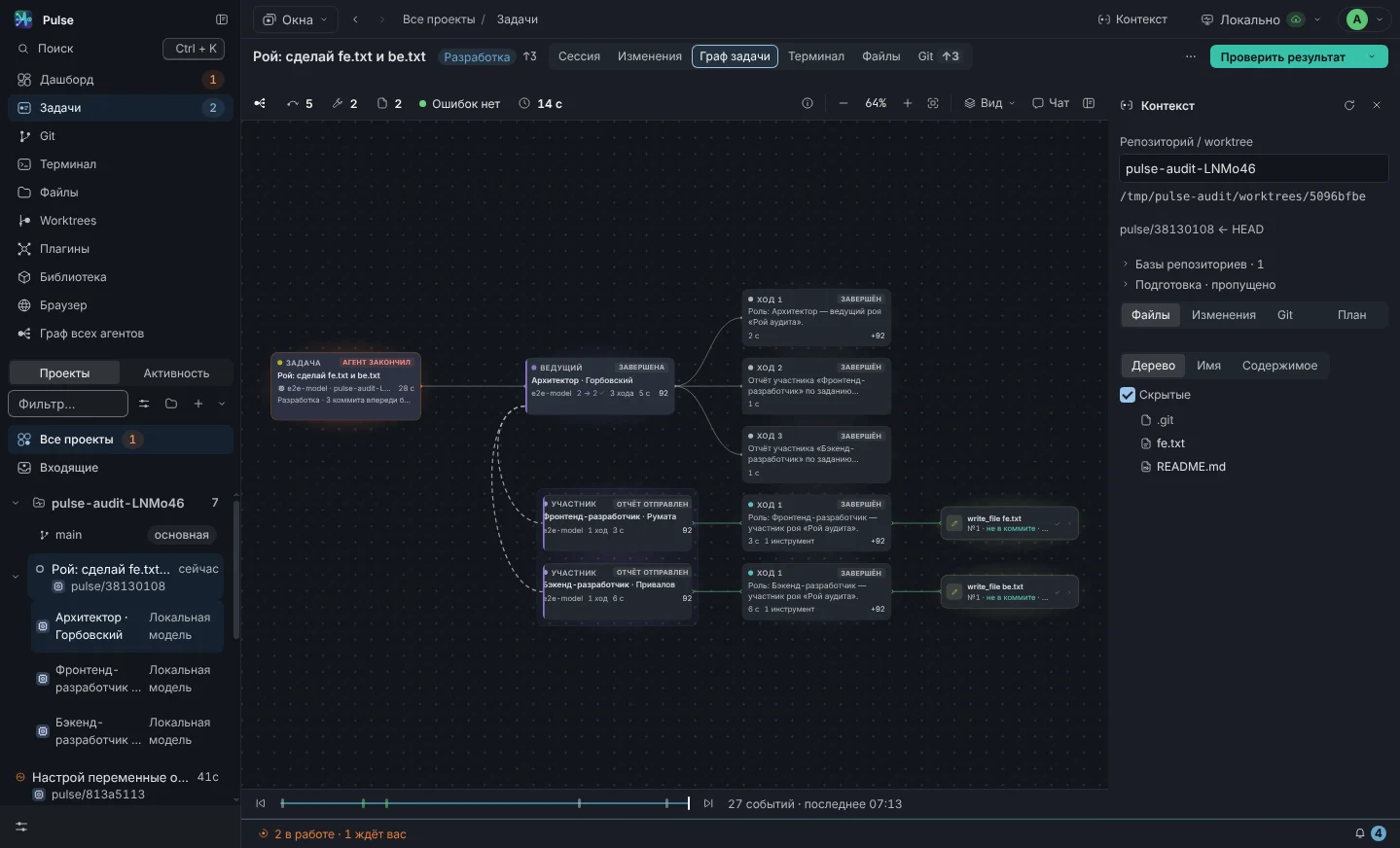
Role sessions diverge from the task, each with its own turns and challenges. The nodes glow according to their state, the task track colors all participants. On the right is the architect’s chat: you can see how he distributed tasks and what he responded to the reports.
Add the “Front-End Inspector” and “Back-End Inspector” to the composition – a ready-made “With Inspection” composition. The architect gives them tasks along with the others, their reports with an assessment on six axes and findings are returned to him and influence the next wave of edits. The inspector works on the strongest available model and cannot edit anything - according to the role policy.
Swarm makes sense on tasks that are divided into parts: interface + server + tests, or “check someone else’s code from three sides.” One agent is enough to edit one file - a swarm will only add waves and cost. A good heuristic: if you couldn't give a task to three people, don't give it to three agents.
One click in “Settings → Swarm”, one prompt in the composer - and the architect is already inspecting your repository.