- How
- adapter
@agentclientprotocol/claude-agent-acpchild process - Needed
claudein PATH,claude auth login- Models
- Fable 5.1 · Opus 5 · Sonnet 5 · Haiku 4.5
- Modes
- Manual · Accept edits · Plan · Auto · Bypass, effort
- Role
- Default Quality Inspector - Opus or Fable
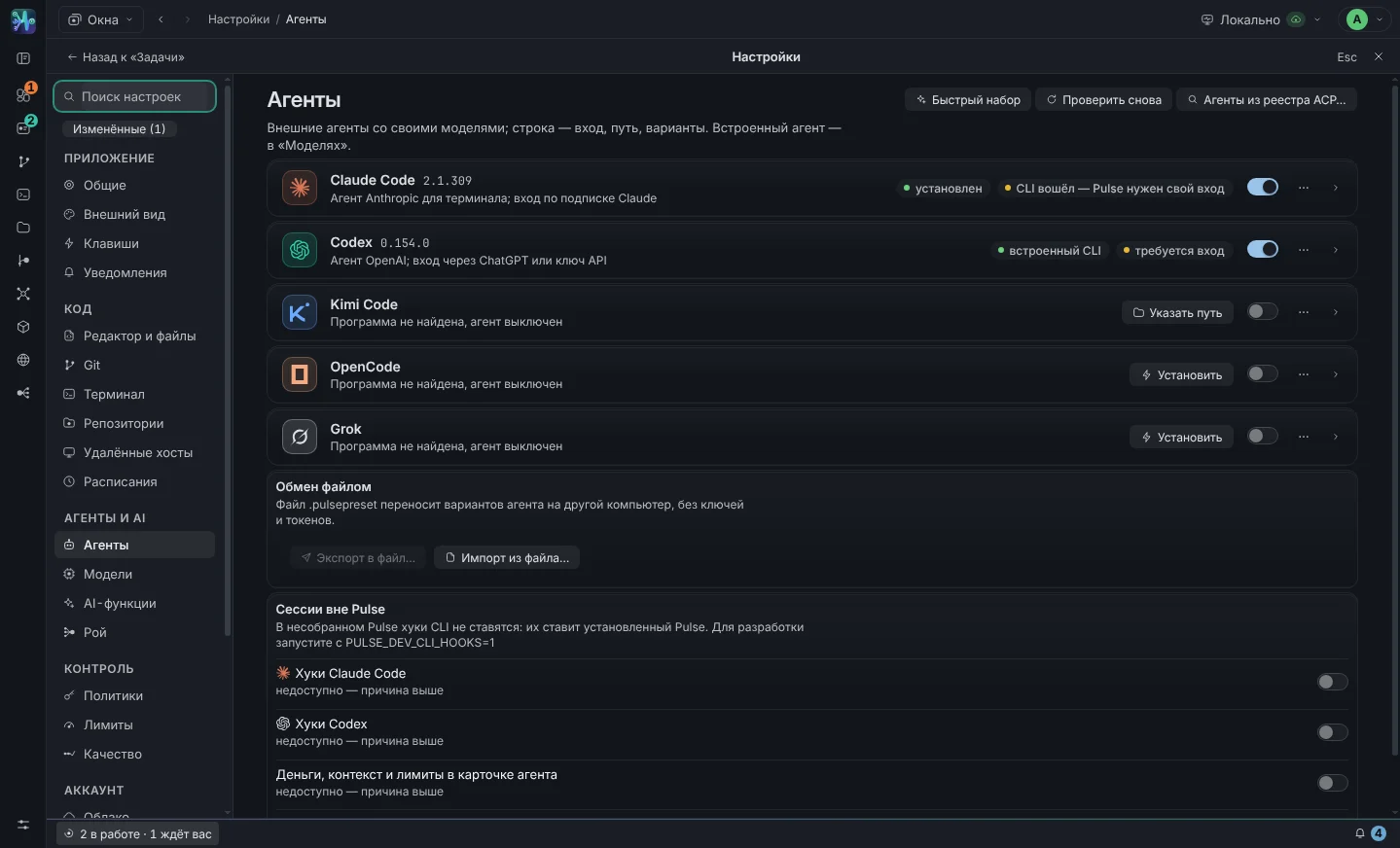
Any agent. Any model. The keys are yours
Agent - a program that works with code: reads, edits, runs commands. Model - what he thinks on. External agents come with their own models; With the built-in Pulse agent, you choose the model - be it local, GigaChat, or the new OpenAI model on the day of its release.
What's Connecting Today
- How
- adapter
@agentclientprotocol/codex-acp; CLI built into Pulse, no need to install anything - Needed
- Login button (ChatGPT account, no key needed) or OpenAI API key
- Models
- the list comes after the first session; any id - via “Model manually”
- Your own CLI
- if
codexis in PATH - it has priority
- How
kimi acp- Needed
kimiin PATH,kimi login- Models
- K2.8 · K2.7 · K3, thinking
- Modes
- default · plan · auto · yolo
- How
opencode acp- Needed
opencodein PATH,opencode auth login- Models
- dozens of providers via OpenCode config, including Ollama and LM Studio
- How
grok agent --no-leader stdio- Needed
grokin PATH,grok loginor variableXAI_API_KEY- Permissions
- auto-approval does not turn on: cards must be asked for Pulse
- Verified
- the live tester of the capabilities has not yet been launched - this is “not verified” in the card
- How
- built-in Pulse agent on top of GigaChat API (Sber)
- Needed
- Authorization key from your personal account; Pulse will select the access type PERS / B2B / CORP itself
- Models
- GigaChat-2 · GigaChat-2-Pro · GigaChat-2-Max
- TLS
- NCA chain of the Ministry of Digital Development, root certificate is built-in
- Can
- read and edit files, run commands, work in a swarm - not just respond with text
- How
- built-in agent on top of any OpenAI-compatible
/v1 - Servers
- Ollama · LM Studio · LiteLLM · llama.cpp · vLLM · corporate gateway
- Verified
- qwen2.5-coder · qwen3 · llama3.1 · devstral · gpt-oss
- Data
- do not leave the machine - or your server
Why a new agent will appear in Pulse without updating Pulse
All external agents speak to Pulse on ACP - Agent Client Protocol. Pulse sends a prompt and receives a stream of events: text, tool calls, permission requests, token consumption. Therefore, the transcript, graph, auto mode, policies and budgets work the same for any agent, and a new ACP agent is connected without reworking Pulse.
The agent reports the models, modes and effort itself after the first session - they appear as chips in the chat and in the “Default Settings” of the card. Providers release models faster than agents update listings, which is why the card has a field "Model by hand": any id goes into the “Model” chip and into new sessions.
Directory of agents from the ACP registry — in the terminal menu and at the task session: the registry agent is launched by the task session. Below the reading boundary, agents are starting today, which the registry distributes in the archive: Pulse installs them itself and verifies SHA-256. The npm and uv packages are the next release after 0.31.16: the “Install in Pulse” button puts them in the Pulse folder, and the program is verified before each launch.
When a model doesn't have an agent
GigaChat and local models do not have a CLI with an agent cycle, so the cycle is led by Pulse itself: “model → tool call → result → model,” up to thirty circles per turn. Your tools: read_file, write_file,
edit_file, list_dir, search, bash. There is no difference for the interface: the same events, the same graph, the same permissions.
- Reading limit:
bashthe built-in agent goes under the system boundary -bwrapon Linux,sandbox-execon macOS; read - working copy of the task, write - worktree only. File tools under the border are closed: the agent works throughbash. - Context window specified in the card (8k / 32k / 128k / 200k or your own); it is used to calculate the filling and enable compression.
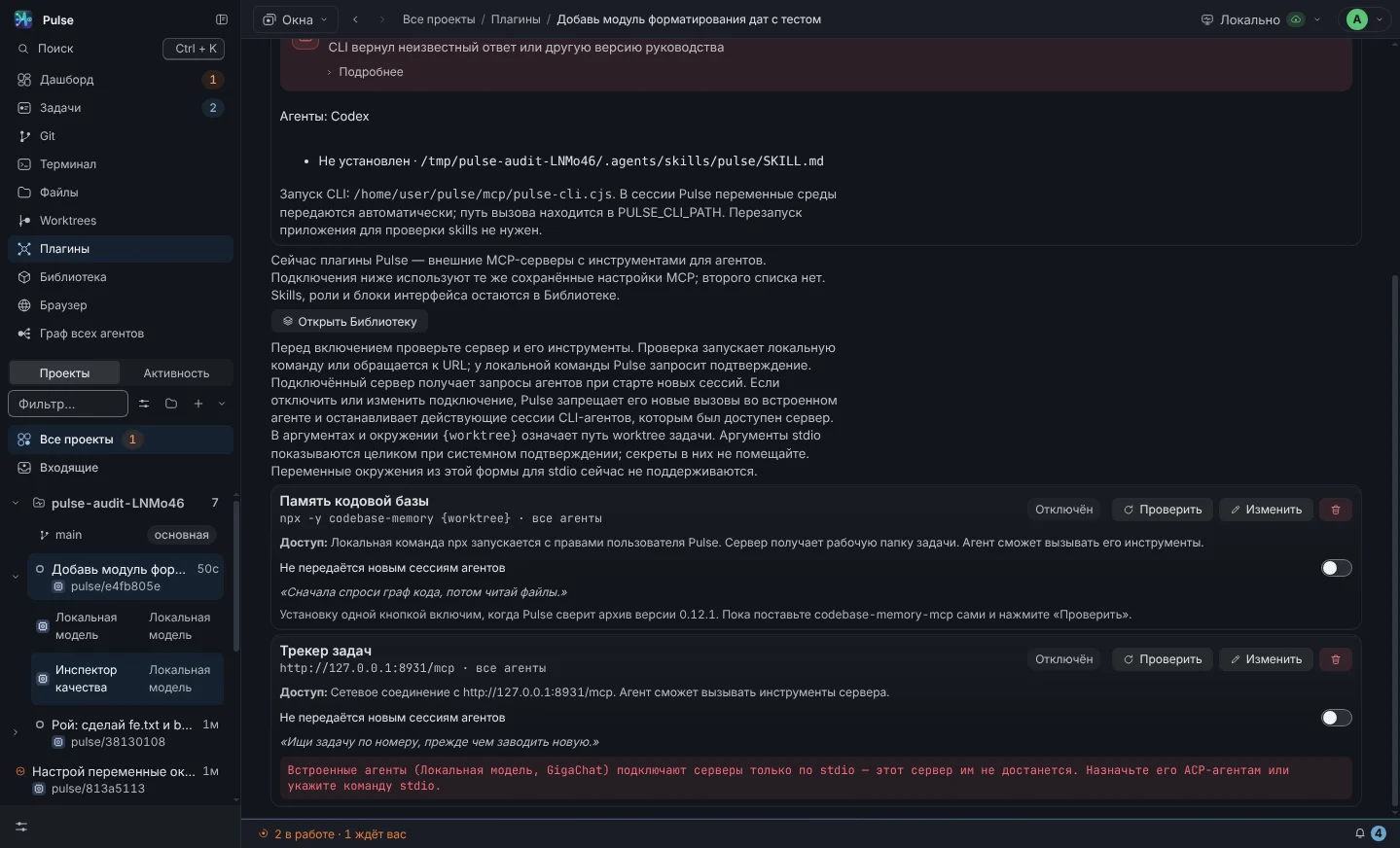
- MCP servers connect to the built-in agent directly, their tools are given to the model as functions.
Local model and GigaChat are real agents, not a chat window
Both built-in agents edit files, run commands, respond to permission requests, and work in a swarm just like Claude Code. The only difference is where the request goes.
Local model
Any OpenAI-compatible server is suitable. The card contains an address, an optional key, and a context window. Button "Check" does two things: asks
/models (does the server respond? accepts the key? what models are there?) and sends a test call to the tool to see if the model can function calling. Without this, the built-in agent will not be able to work: the model will only talk.
| Server | Default address |
|---|---|
| Ollama | http://localhost:11434/v1 |
| LM Studio | http://localhost:1234/v1 |
| LiteLLM | http://localhost:4000/v1 |
| llama.cpp server | http://localhost:8080/v1 |
| vLLM, enterprise gateway | your address, usually with a key |
| OpenAI directly | https://api.openai.com/v1 — any model by id, including new ones |
GigaChat
Three steps: get the Authorization key in your personal account, paste it into the card (the key is stored encrypted, the encryption key is in the keychain), click “Check” - Pulse will perform OAuth and take the list of models.
- The access type is selected independently. If the key is issued for another account, Pulse will go through PERS, B2B and CORP and remember the working one.
- Certificates. The connection goes through the NCC chain of the Ministry of Digital Development - the root is built into the application, there is nothing to configure.
rejectUnauthorized: falsenot used. - Honestly about the tariff. If the request fails with “402 Payment Required”, the account does not have tokens for this particular model. Select another one in the "Model" chip.
- The access token lives for 30 minutes and is refreshed three minutes before expiration; It is not written to the logs.
One agent - several characters
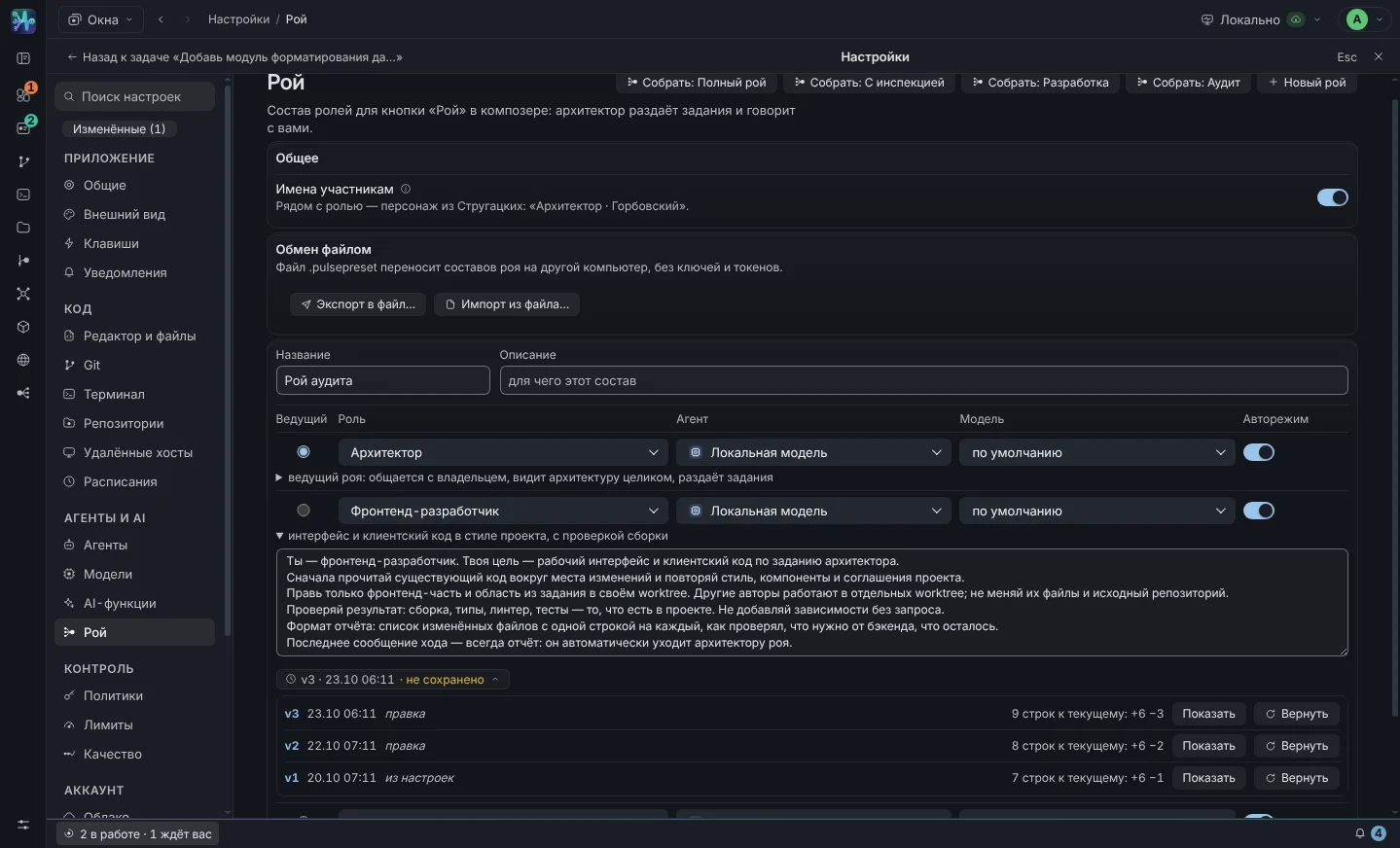
A variant is an agent with a role: name, instructions, model, mode, effort, auto mode, skills and color. One Claude Code can have a Sonnet developer and an Opus reviewer. The role from the set - lead, developer, reviewer, tester, documenter, refactorer - substitutes the character and instructions, but only in the fields that you did not correct.
- Instructions goes to the agent as the first turn before the task: role, rules, response format. Works with any base agent.
- Skills — the hint “use when appropriate” is not a limitation: the agent still sees all his skills.
- Speed dial with one button creates a team of four roles on available agents and suitable models.
- Chip "Team" in the composer, it launches several variants on one task - one session for each, in one worktree.
Which formulation gave the result?
Each saving of a modified instruction creates a version: number, date, difference to the current text, full text, “Return” button. The session shows which version was sent to the agent with the first turn. This turns the selection of prompts from fortune telling into an experiment: “he did better on v2 than on v3” - and you can return.
- The instructions for the agent options and the swarm members have a history; up to thirty versions per instruction.
- Corrections from quality inspectors - material for the next version of the instructions.
The built-in agent itself compresses the history under the model window
Local models often live in 32k tokens. Instead of running into boundaries and losing context, Pulse compresses the history in steps - and does not break the “challenge → result” pair.
-
Compression is turned on at 75% of the window
The goal is to get back to 50%. Token scores are calibrated based on server responses: Pulse compares its score to
prompt_tokensand adapts to the model tokenizer. -
Tool leads in old passages are trimmed
The full text of the file was needed then, not now. The fresh result of the tool is never touched.
-
Old turns are collapsed into one summary
Except the last two. In the summary: what the user asked for, what tools were called and with what, what files were changed, how it ended. There is only one summary and it is being added.
-
If this is not enough - hard pruning
Recent turns are trimmed, then everything except the current turn is included in the summary. The line remains in the transcript: “Context compressed: 3 turns collapsed into a summary, output of 2 instruments reduced (≈28k → ≈9k out of 32k).”
For external agents - Claude Code, Codex, Kimi, OpenCode, Grok - the context is managed by the agent itself; Pulse only shows the fill in the chip. The full transcript on disk is never compressed—only what is sent to the model is compressed.
One server for all agents in all tasks
External agents via ACP receive MCP servers in the parameters of the new session and connect themselves. The built-in agent picks up stdio servers and gives their tools to the model as functions mcp__<server>__<tool>. Calls are visible in the transcript and on the graph using regular cards.
- Transport stdio or http, environment variables for secrets, list of agents for which the server is enabled.
- If the server does not come up, an error will be sent to the transcript, and the session will continue to work without it.
- For small models, unnecessary tools are harmful - keep only the necessary ones on.
GitHub and GitLab
Tokens are imported from gh and glab or entered manually. Pulse displays a link to PR or MR in the task thread and transfers tokens to agents in the environment so that they can work with the hosting themselves. Self-hosted GitLab and GitHub Enterprise - using the same token.
Where are the keys
Agent keys, hosting tokens and GigaChat key are stored in a secrets file with permission 0600, the values are encrypted with the macOS keychain. In the interface you can only see “set / not set” and the tail. The keys do not get into the transcript, log and configs: the log masks them by field names even before recording.
Connect your agent in two minutes
If claude or codex you already have - Pulse will find them itself. For GigaChat you need a key, for the local model - a server address.
- A swarm of eleven roles on any agents - in detail
- Policies, budgets, sandbox, audit - in detail
- All Pulse screens - opportunities