For those who already work with agents

The limit ends by lunchtime.
Pulse shows where he's gone

If you have several agents and hit a quota every day, the problem is usually not that you are working too much, but that the expense is not visible. Pulse calculates it based on your own transcripts and answers not “how much was spent”, but why.

chat limit chip analysis of consumption by reason context compression budget for the task
Settings → Flow

Four reasons why the limit goes faster than it seems

Each turn sends the entire context to the model anew - so the measure of consumption is the size of the context at the time of the request, and not “how much you wrote.” Pulse breaks down expenses into reasons per day, week or month. The reasons are independent and therefore add up to more than 100%.

Sessions where subagents worked
27 %
Sessions longer than four hours
27 %
Turns with more context - from 150k or more 60% of the window
16 %
Turns when three or more sessions were going on in parallel
11 %

This is a real cut for a month of work: 14.9 million tokens, 186 turns, 16 sessions, $16.02. Your shares will be different - that’s the point, they are calculated according to your data.

And what to do about it

Every reason has an answer

  • Subagents burn the most. Use a cheaper model for simple subtasks—in a swarm, the model is specified separately for each role.
  • A long session becomes more expensive on its own. Every next turn drags down the whole history. A new task instead of continuing the old one is usually cheaper than it seems.
  • A lot of context can be trimmed down. The built-in agent itself compresses the history by 75% of the window: it trims old tool outputs and collapses old turns into a summary without breaking the “call → result” pair.
  • Parallel sessions share one limit. It can be seen when there were three or more of them, and you can separate them by time or by different agents.
  • Reading files is also an expense. The MCP code memory gives the agent a project graph so that it asks for the structure instead of reading entire files.

How context compression works

In chat

You can see the limit before it's over

Next to the token consumption is a model limit chip: “limit 77% in 2 hours”, “balance 1.2M”, “limit exhausted”. Yellow with 60%, red with 85%. The chip menu contains all the limit windows and two ways to continue without losing your work.

  • Another model of the same agent — live change, the context is preserved.
  • Another agent with a transfer report — the person leaving writes a summary, the person receiving starts from it, and not from scratch.
ProviderWhat we show
Claude Codefive-hour window, weekly for all models and separately Opus and Sonnet, credits, interest and reset time
GigaChatbalance of package tokens by model; “402” - the balance of this model is exhausted
OpenAI-compatible, LiteLLM, vLLMtokens and requests per minute from response headers
Ollama, LM Studiono headers are sent - there is no chip, and there is no limit there either
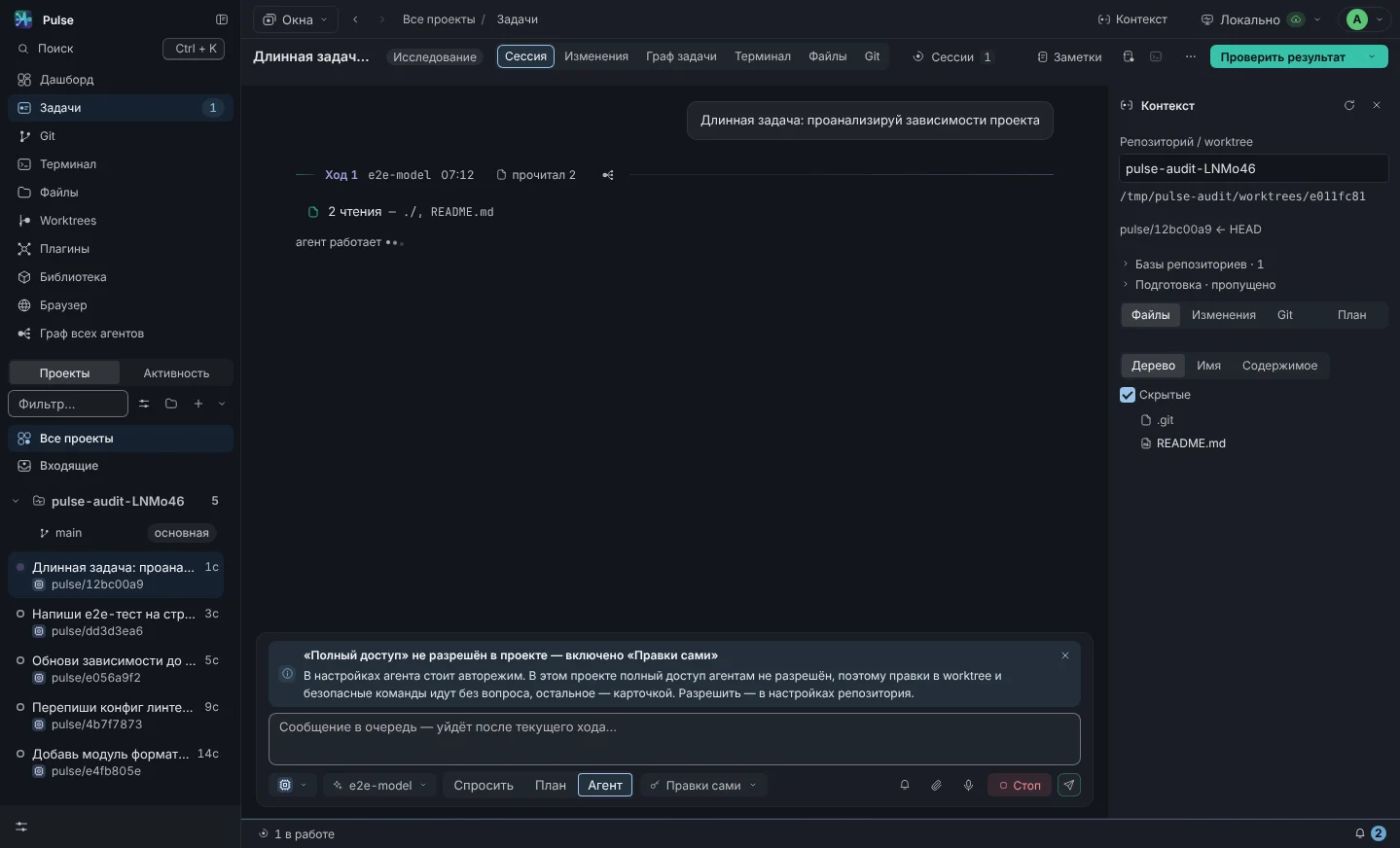
Chat session: agent turns, tool call cards, model and expense chips in the composer
Limit and flow chip in composer
On the graph

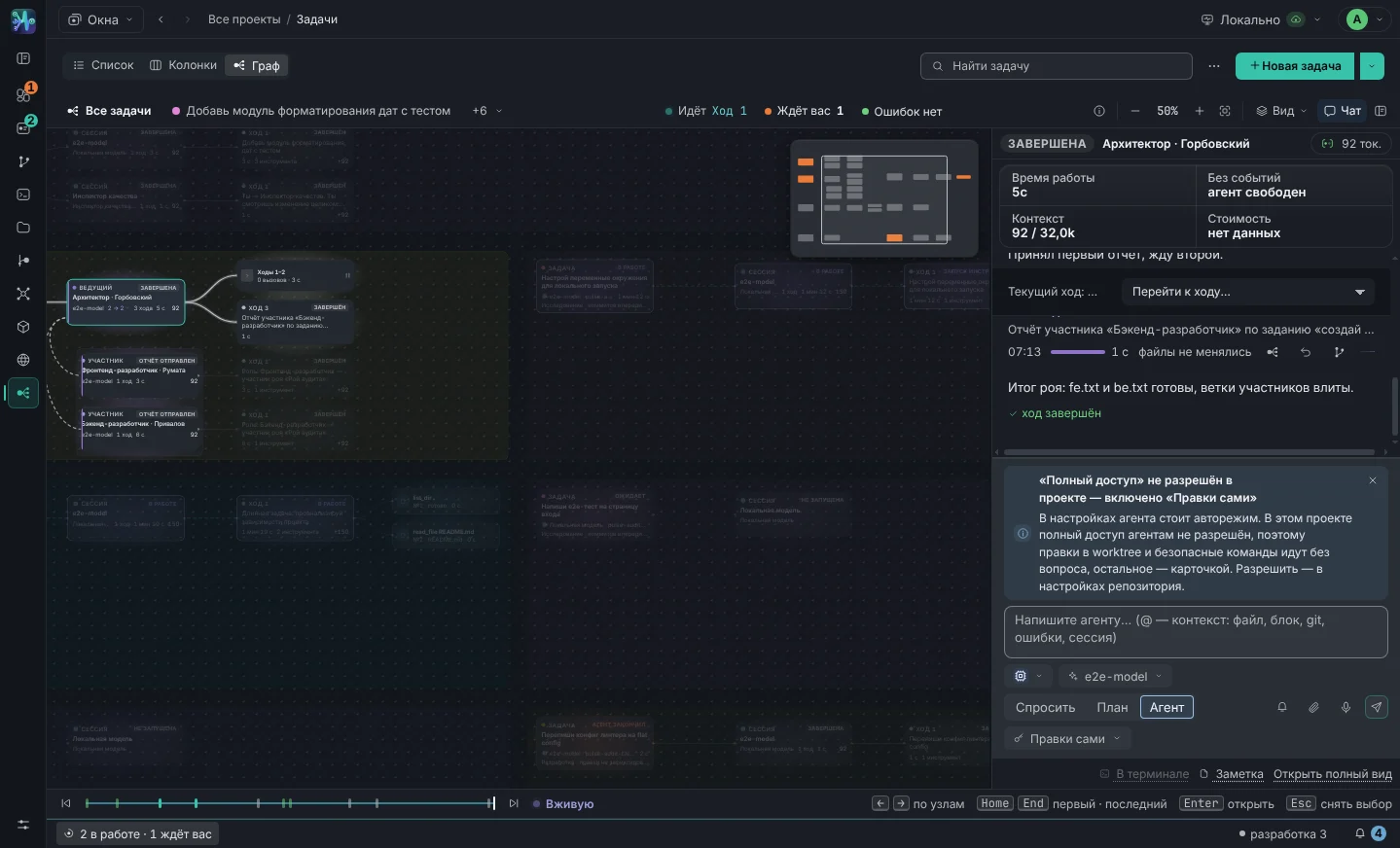
Tokens are signed under each node

Under the session node is the context that the model is currently holding (“10.1k”). Under the turn node - how much this turn added (“+4.9k”). An expensive turn can be seen without opening reports: usually this is reading a large file in its entirety or a subagent who has been given too much.

  • The timeline below rewinds the graph and chat at any moment - you can see from which turn the consumption went up.
  • Identical calls collapse into groups (“Read · 26”) - it’s immediately noticeable that the agent is re-reading the same thing.
Agent Graph: session and turn nodes with signed tokens
The consumption is visible on the graph itself
The second half of the problem

Cheap model saves tokens and wastes your time

It’s easy to save money on a model, but it’s harder to figure out what she wrote later. Therefore, next to the analysis of consumption there is a quality check: a strong model reads the differential of a cheap one and says what is wrong.

Six axes instead of sensation

Correctness, readability, tests, security, within the task, comments - from 0 to 5. Plus the verdict and findings “file:line - problem - how to fix.” The inspector is prohibited from editing files by the role policy, so he cannot “tweak them in his favor.”

0,5 out of 5 · verdict “remake”

Unassembled token module, non-existent props for common components, 543 files node_modules in the commit. Correction to the author: “demand proof of assembly - output of tsc and tests in the report.”

Who writes better - with numbers

Ratings are accumulated in the “agent + model” section: average score, number of checks, averages along the axes, critical findings, last adjustment. After twenty checks, this is no longer an opinion, but a basis: who should be given the backend, who should not be allowed into security, where a cheap model can cope no worse than an expensive one.

The verification itself costs money - it is a separate session of a strong model, and the budget of the task stops it in the same way as regular work. There is no point in enabling auto-check for everything; include on what will go into production - yes.

Quality inspectors in documentation →

Hard Boundaries

So that “expensive” does not become clear at the end of the month

Budget

Limit per task in dollars

The total cost of all task sessions against the limit. There is a notification at the threshold; when exhausted, the sessions are stopped and new turns are not started until you have raised the limit. Affects both the swarm and inspectors.

Local models

Part of the work is generally unlimited

Ollama, LM Studio, LiteLLM, llama.cpp, vLLM or enterprise gateway. Tested with qwen2.5-coder, qwen3, llama3.1, devstral, gpt-oss. The routine - tests, renaming, documentation - can be taken there entirely.

Memory

Don't explain the project again

The repository memory stores decisions and agreements; the endurance goes to the agent on the first turn of each new session. This is cheaper than feeding half the code base to the model each time so that it understands the context.

Parallelism without chaos

Five tasks at once - and not a single conflict

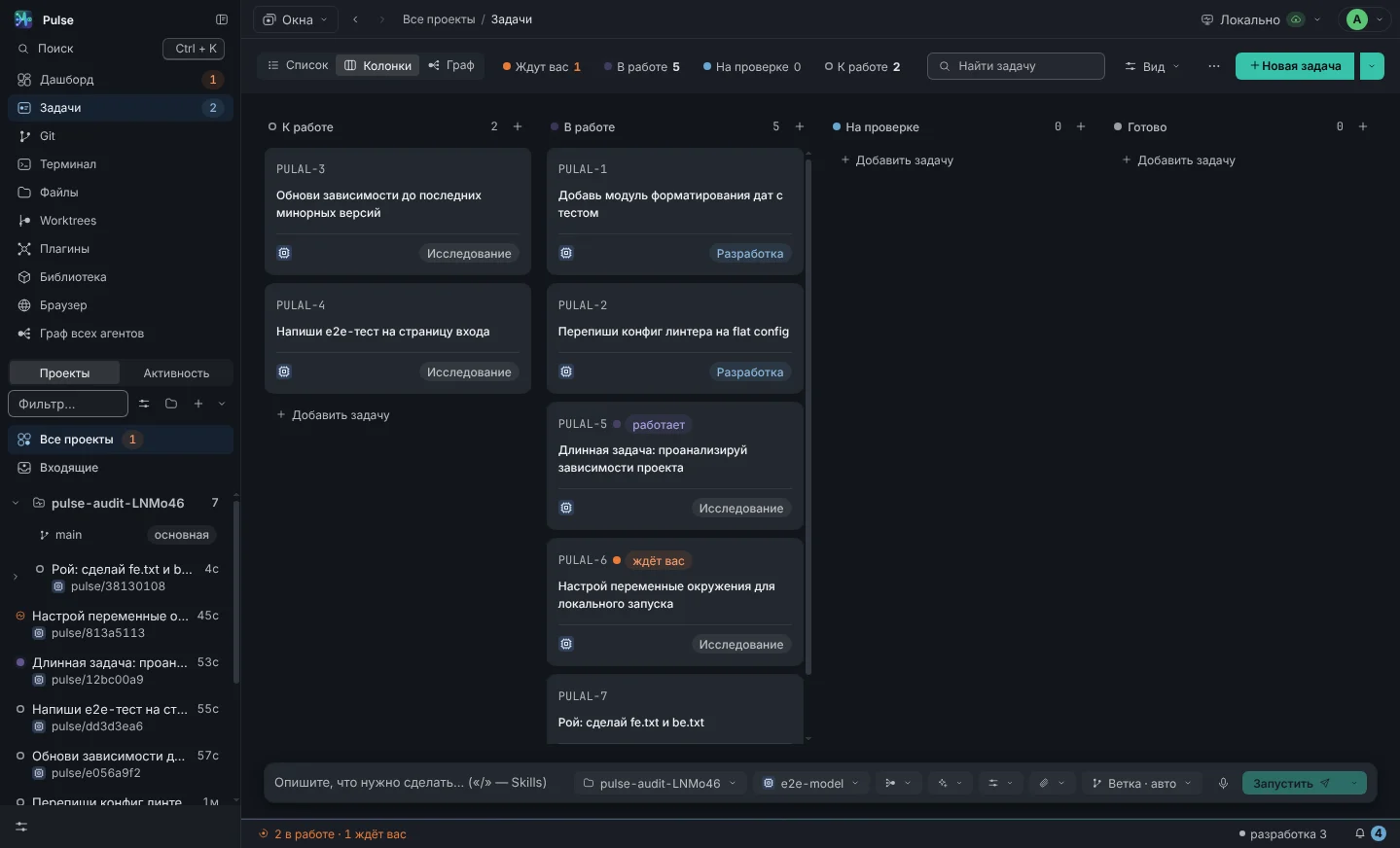
Each task lives in its own git-worktree on its own branch. Agents don’t switch your branch, don’t edit one file together, and don’t lose someone else’s work on a merge. This is the reason why parallel work is generally possible: without isolation, three agents in one branch is not a speedup, but a clearing of rubble.

Board with columns: several tasks in work at the same time
Your keys

Pulse does not resell anything.

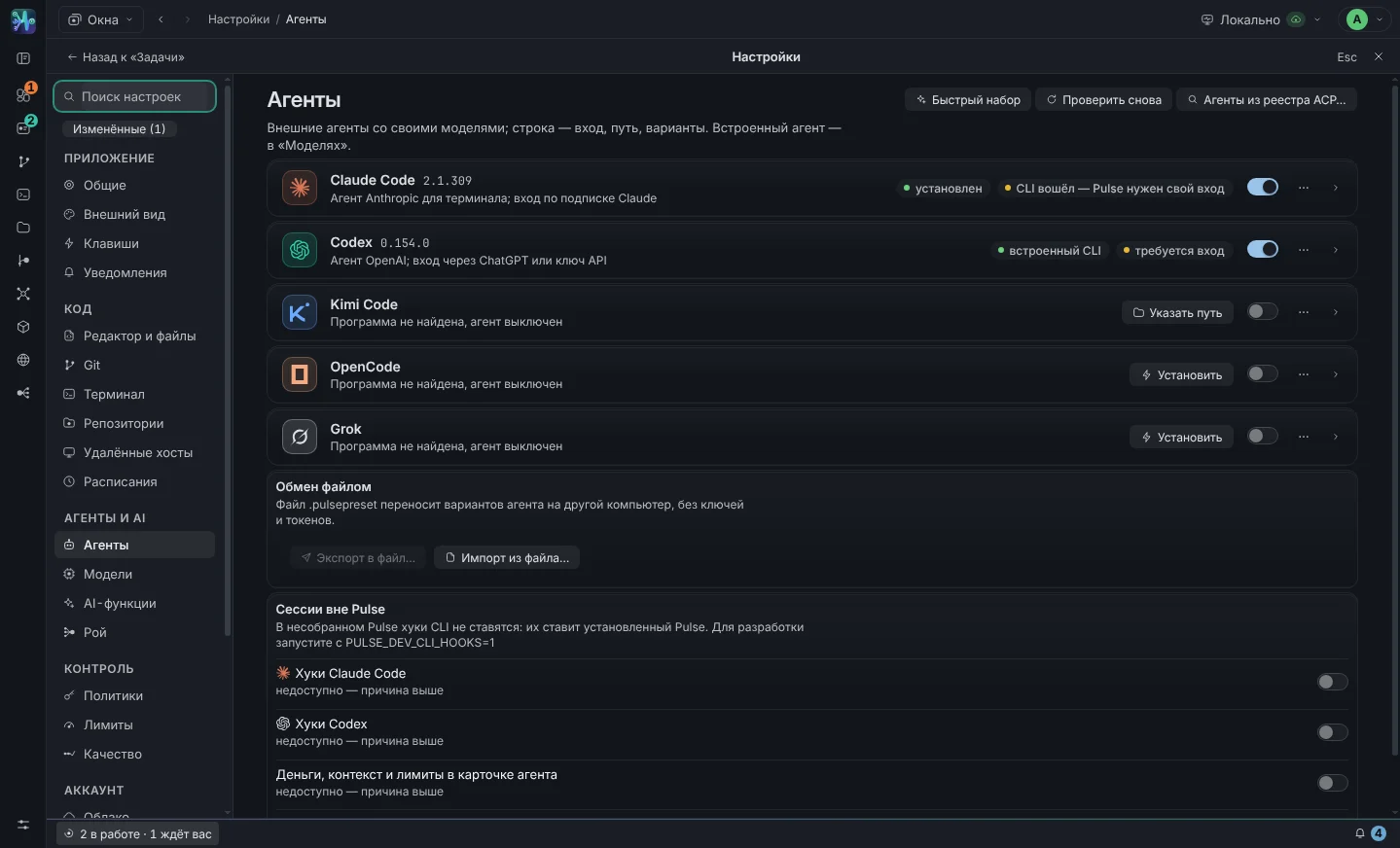
You pay providers directly with your subscriptions and keys - Pulse does not act as an intermediary and does not charge a premium for tokens. The keys are encrypted on your machine, the code goes only where it would go from your terminal.

Settings → Agents: agent cards with connection statuses and versions
Frankly

What Pulse doesn't do

  • Doesn't increase your quota. The limit is issued by the provider; Pulse shows you where it goes and gives you ways to avoid wasting it.
  • Does not compress the context for external agents. For Claude Code, Codex, Kimi, OpenCode and Grok, the context is managed by the agent itself - Pulse shows the filling, but does not interfere. Compression is provided by the built-in agent: local models and GigaChat.
  • Doesn't promise savings percentage. The spread between projects is too large to give an honest figure. The consumption section is calculated according to your data - look at yours.
  • Does not replace human review. The inspector is a reason to look at the code, not a verdict or a signature on the release.
Condition

Alpha and it shows

The interface and data model are established, but still change between versions. The logic is covered by 1924 tests, versions are released almost every day, what has changed is written in the log. Pulse is written on Pulse itself: agents in it work on its own code, so we are the first to encounter every breakdown.

Version history

What does a day look like?

Five tasks. Three agents. One window.

Not an abstract scheme, but an ordinary working day of a person whose agents cover the routine, and he decides.

09:40

Four tasks from the backlog

Add tasks to your project columns with descriptions, priorities and task IDs. Worktrees are created when work starts. The fifth task uses a swarm: migrate sign-in to SMS codes.

09:45

Launch and resolution

Everyone starts. A minute later a card pops up: GigaChat wants to launch npm test. If you allow it in the session, he won’t ask again.

10:20

The swarm architect gave out tasks

I inspected the code, sent the form to the frontend, sent the code to the backend, and checked the storage of tokens for security. Each in their own working copy.

11:05

The inspector returned 2.5 out of 5

Autocheck worked on the completed task: there are no tests, the network error was not processed in two places. Finds with file and string - back to the agent in one message.

12:30

Diff, terminal, commit

Two tasks are ready. See the patch, run tests in the worktree terminal, commit from the interface. The branches are ordinary - you pour in as always.

18:00

Summary of the day

Dashboard: 5 tasks, 214 turns, 1,891 tool calls, $4.12. The result of the swarm has gone into the repository’s memory—tomorrow’s tasks will begin with this knowledge.

Next

View your consumption profile

It is calculated based on the transcripts on your machine - per day, week or month. There is no need to configure anything: the data will appear on its own as soon as you work.

  • Windows, macOS (Apple Silicon and Intel), Ubuntu
  • Your subscriptions and keys, no extra charge for tokens
  • Policies and budgets that can't be done in auto mode
  • No access code - leave a request